since 2024
A radio receiver on the balcony
A cheap USB stick, a Raspberry Pi and an antenna on the balcony in Crema: a station that listens from shortwave up to the 1090 MHz of aircraft, and that I control from anywhere with a browser.
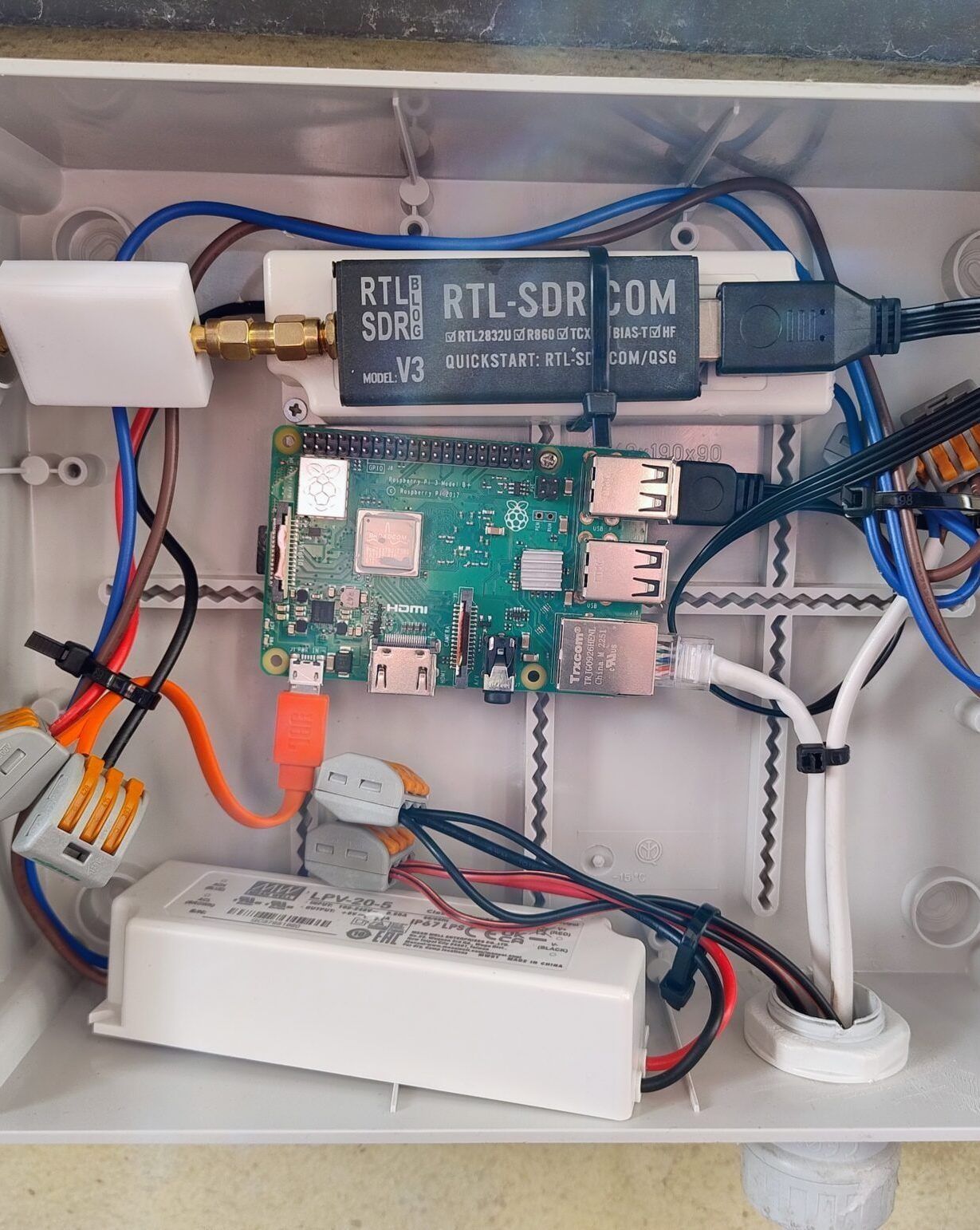
It all started when I bought my first SDRSoftware-defined radio: a USB stick captures a slice of the radio spectrum and the computer decides what to do with it: listen to a voice, read an aircraft, draw a weather chart. stick and tried it with a program on my computer, SDR++. Finding out that such a small object easily receives from shortwave up to very high frequencies thrilled me. But there was a problem: with the antenna indoors the signals were weak and the interference was huge, caused by power supplies and all the electronics around.
So I thought of a station that sits entirely outside: the antenna on the balcony and, next to it, the little computer that listens to it. The closer the receiver is to the antenna, the less interference there is on the way.
The box
In the grey box there are a Raspberry PiA computer the size of a credit card, cheap and easy to program. 3B+, the SDR stick, a power supply and the cables. In a separate white box there is a filter that cuts the FM stations between 88 and 108 MHz: they are so strong that they would drown the weak signals I care about.
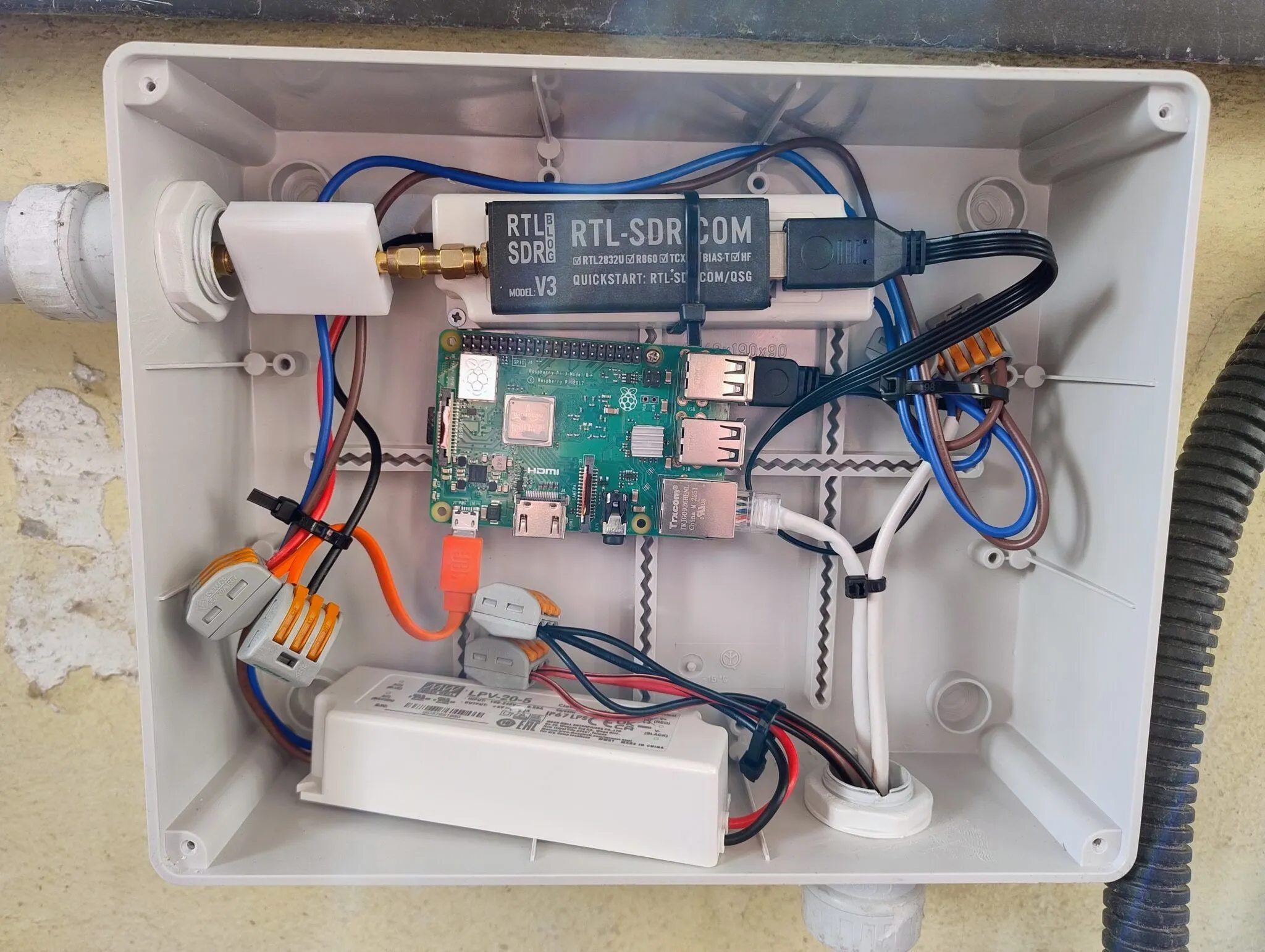 Inside the box.
The antenna is a ground plane, a rod with four arms underneath, fixed to the balcony. I built it myself; it’s the same one I use to receive radiosondes.
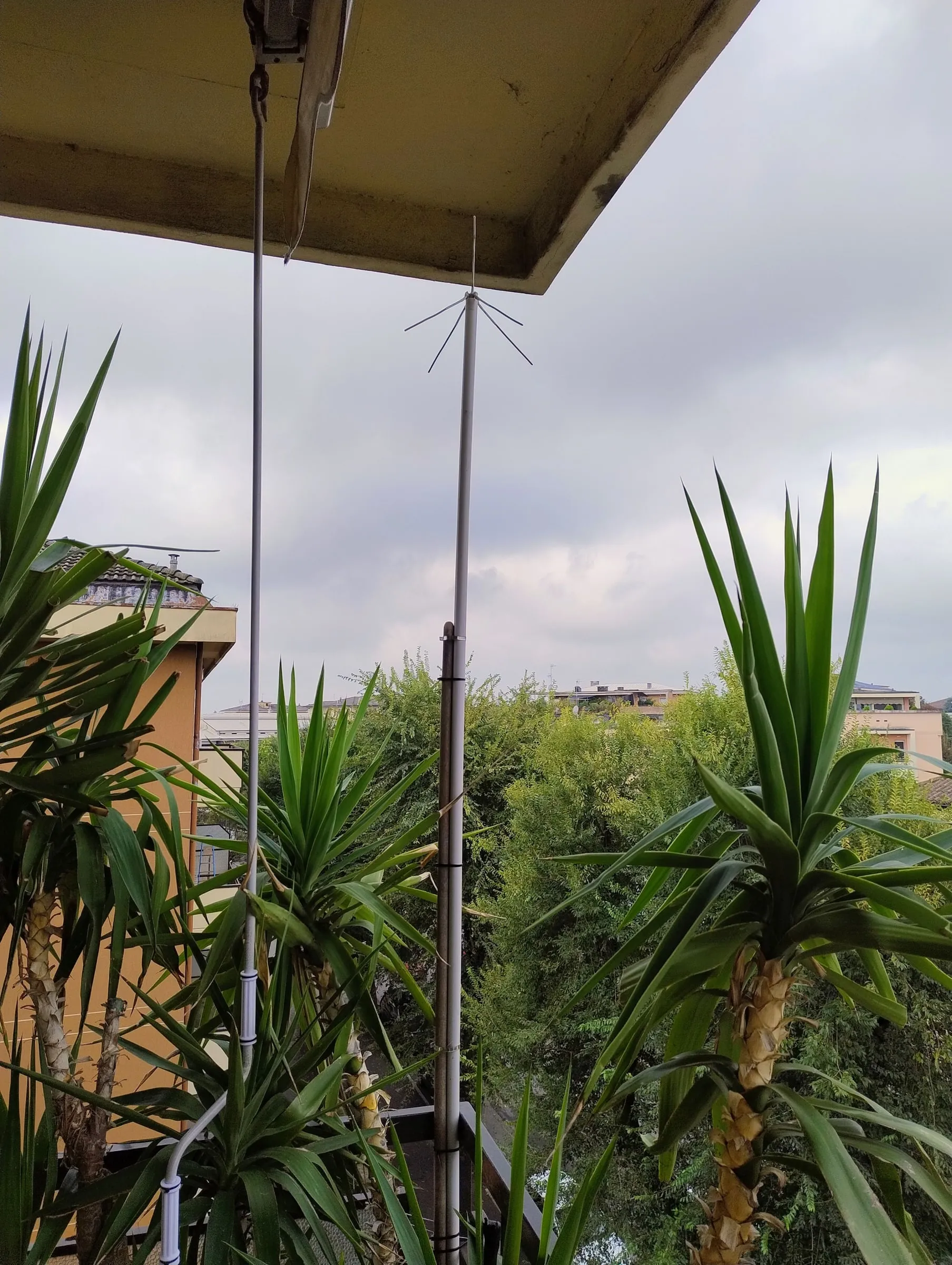 The antenna on the balcony.
Controlled from the browser
On the Raspberry I installed OpenWebRX+, a program that turns the stick into an always-on radio on a web page: I open the browser, see the whole spectrum the stick hears, pick a frequency and listen. I can do it from my phone, my laptop or another country, without touching the box, and my station can be found here: sdr.natmus.net.
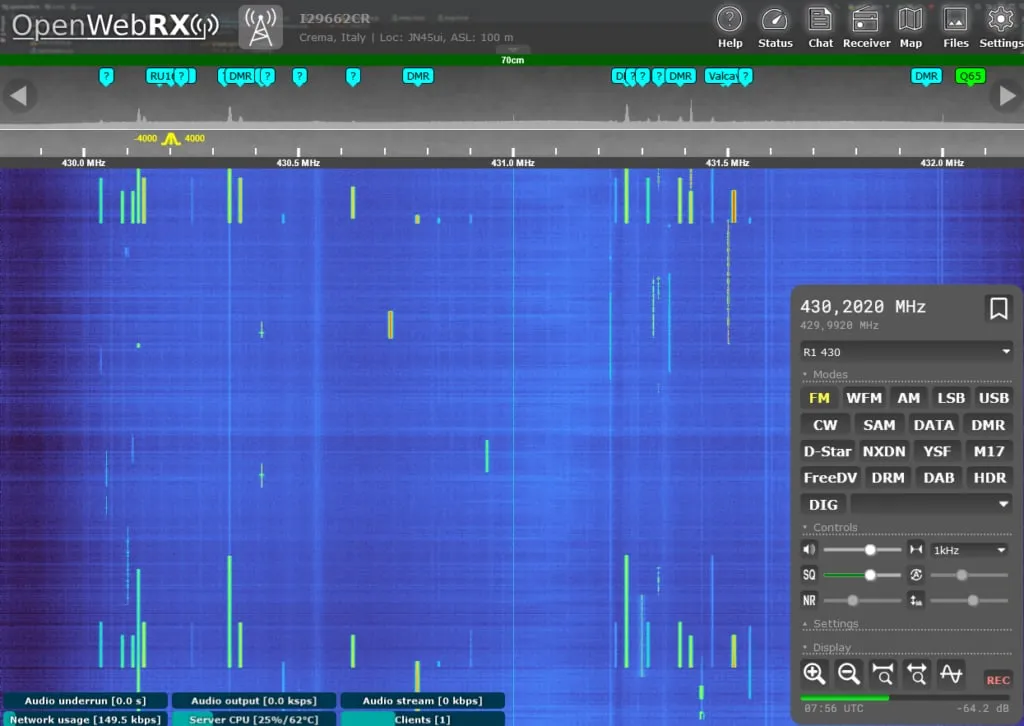 OpenWebRX+ on the 70 centimetre band.
It is still on and running: it has plenty of tools to decode analogue and digital signals, and it does the work I used to do by hand.
What you can receive
A few examples of what I have decoded, from low to high in the spectrum:
- Weather charts at 7878 kHz. Some stations broadcast weather charts for ships, like faxes. On 27 August 2024 I received a chart from the German weather service showing wind and sea waves for two days later.
- APRS at 144.800 MHz, the radio amateurs’ network that sends the positions of vehicles and stations over the air.
- ADS-B at 1090 MHz: the aircraft flying over the plain, each with its flight name, altitude and speed.
- Devices at 433 MHz: temperature sensors, alarm sensors and even the tyre pressure of passing cars, read with rtl_433.
- D-Star, a digital mode used by radio amateurs.
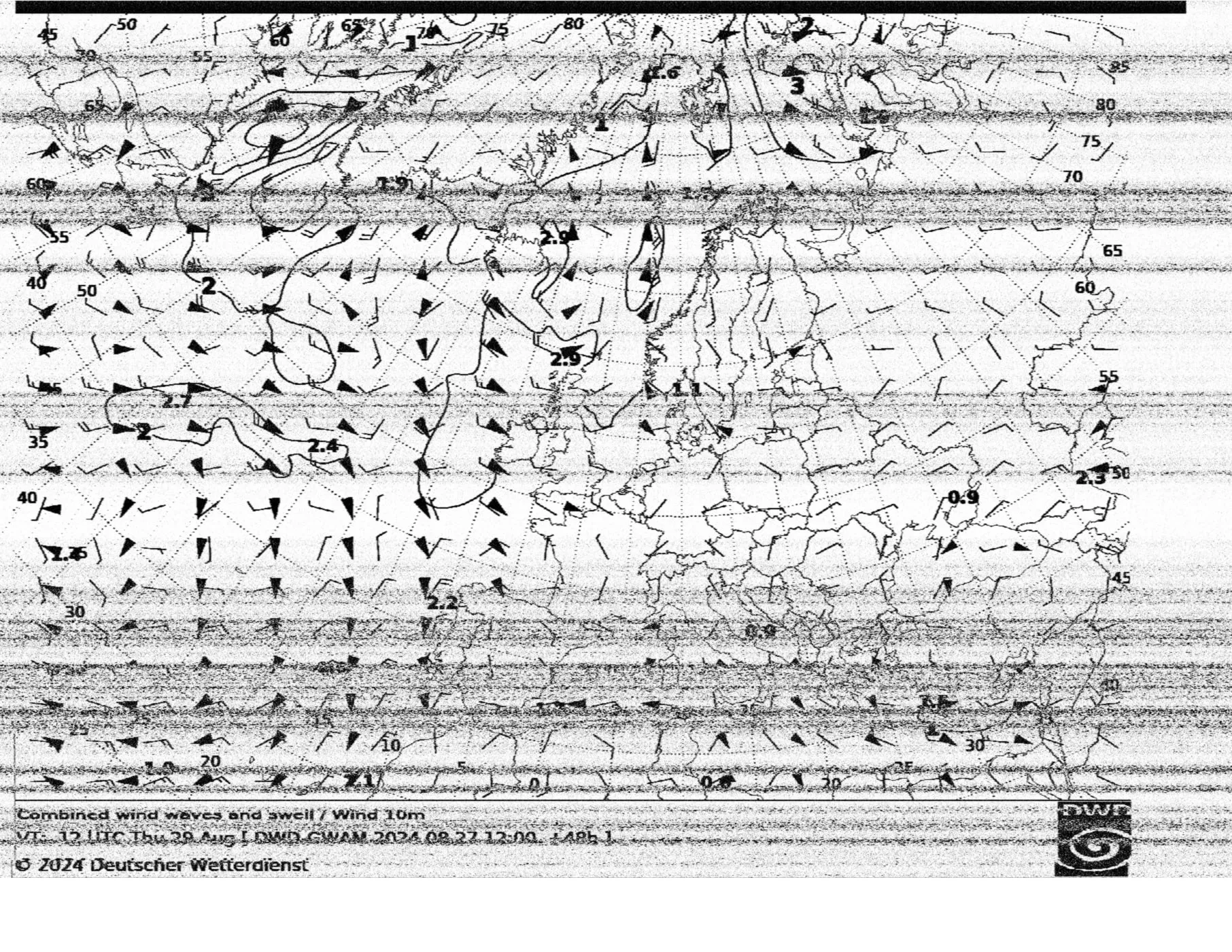 The chart of 27 August 2024, received from the balcony: the streaks are interference.
OpenWebRX+ also has a map that shows APRSA radio amateurs’ network that sends small messages with the position of vehicles and stations over the air, then shown on a map., aircraft and other signals: when I look at it I see the aircraft flying over the plain, from Milan to Lake Garda.
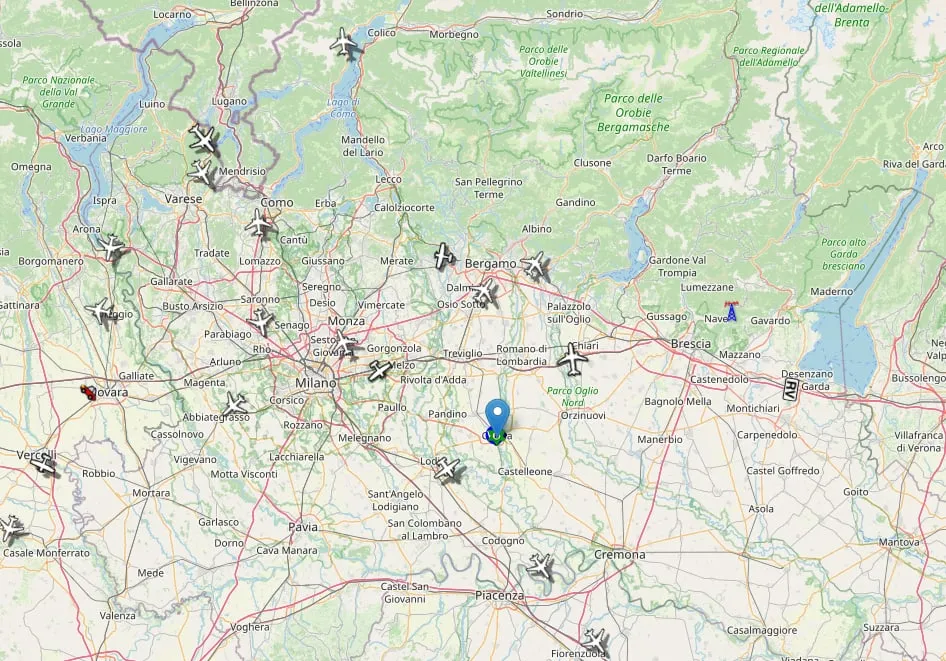 The aircraft received by the station.
What I learned
That a cheap USB stick can do a lot, but that the outdoor antenna and a filter on the FM stations matter more than anything else. And that a receiver that is always on and reachable from the browser is much nicer to use than one you have to switchA box with lots of network sockets: it links wired devices together, like a power strip for network cables. on every time: in a few seconds I can check what’s on the air.
I also made a video that shows the whole path.