since 2024
Automatic watering and a hydroponic tower
A tower for growing small plants without soil, 3D-printed and watered by a timer on an ESP32, and then a controller that waters the balcony plants, with a web page and Telegram alerts.
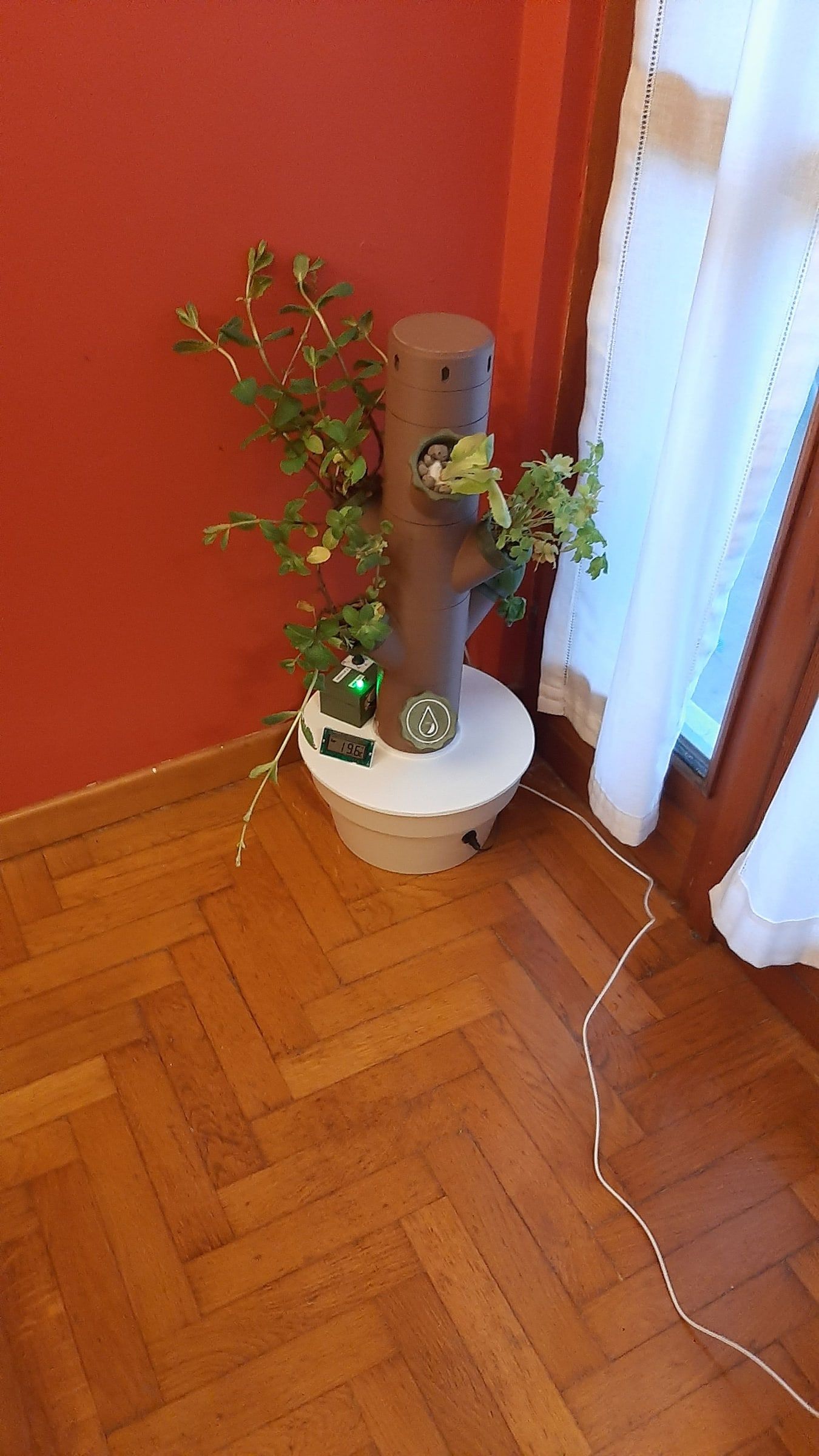
I liked the idea of growing small plants at home without soil, in a tower that waters itself. It is called hydroponicsGrowing plants without soil: the roots sit in water with nutrients in it, and a pump keeps the water moving.: the roots sit in water with nutrients in it, and a pump keeps the water moving. So I started 3D-printing a modular tower and building a small electronic brain around it that switches the pump on at the right time. From that brain came, later, a second project, quite a different thing: a controller that waters the plants on my balcony by itself. I tell both, one after the other.
The hydroponic tower
I downloaded the models to print from Thingiverse, the site where people share designs for 3D printers; they are no longer there today, because in the meantime they became paid. The tower is made of pieces that stack on top of each other, all printed in PLAThe plastic most used in 3D printers: it comes as reels of filament that the printer melts and lays down layer by layer.: I used a little under a kilo of filament for the brown pieces and about 400 grams for the green ones. Not a single print failed. I had to scale all the models down by 10%, because otherwise they didn’t fit on the bed of my printer (a FLSUN Q5). The lid of the pot, instead, I made out of wood: my pot had an odd size and there was no suitable model.
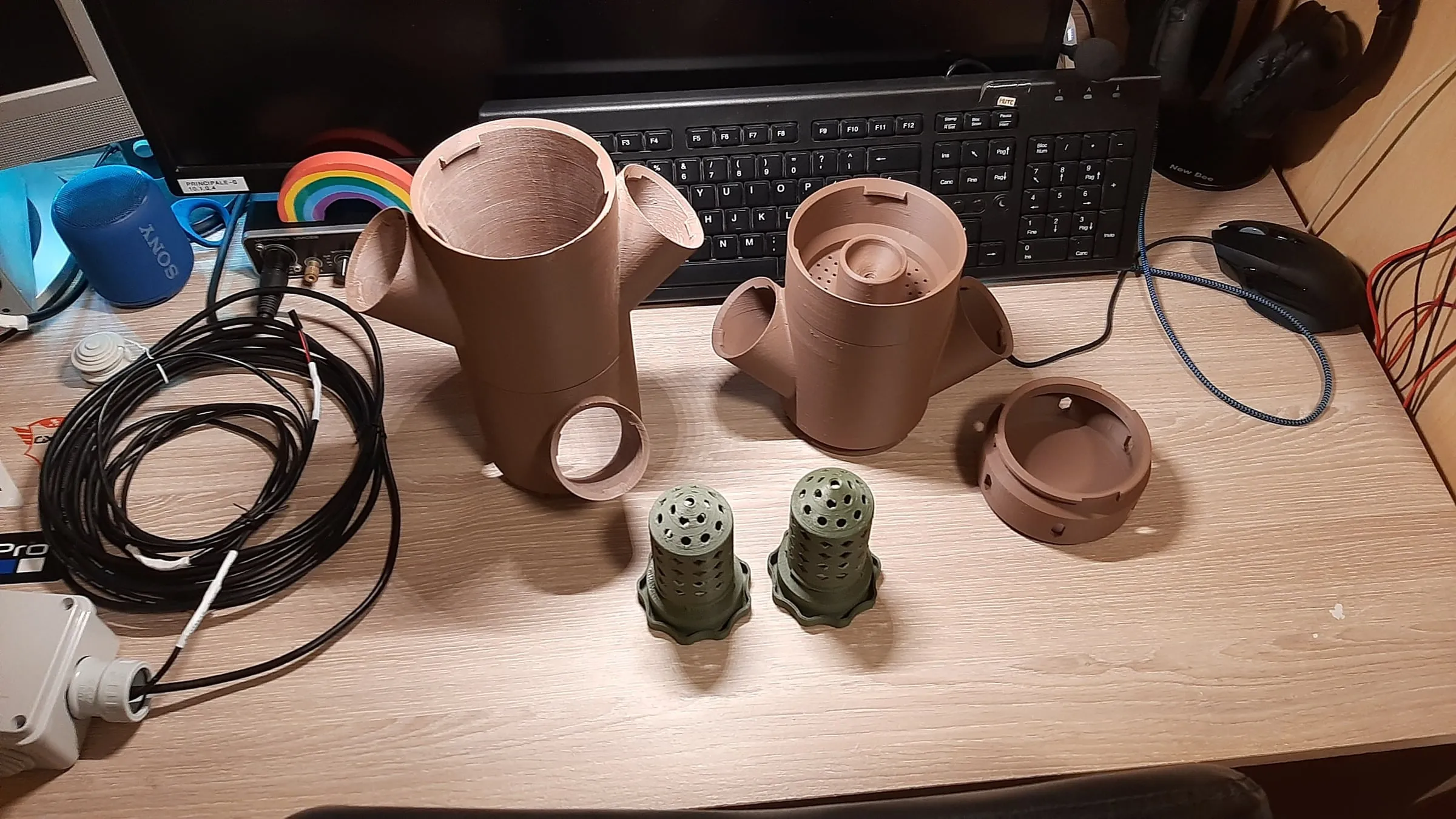 The first pieces, February 2024.
The plants sit in small perforated pots, the kind used in hydroponics: the water flows in through the holes and the roots take what they need.
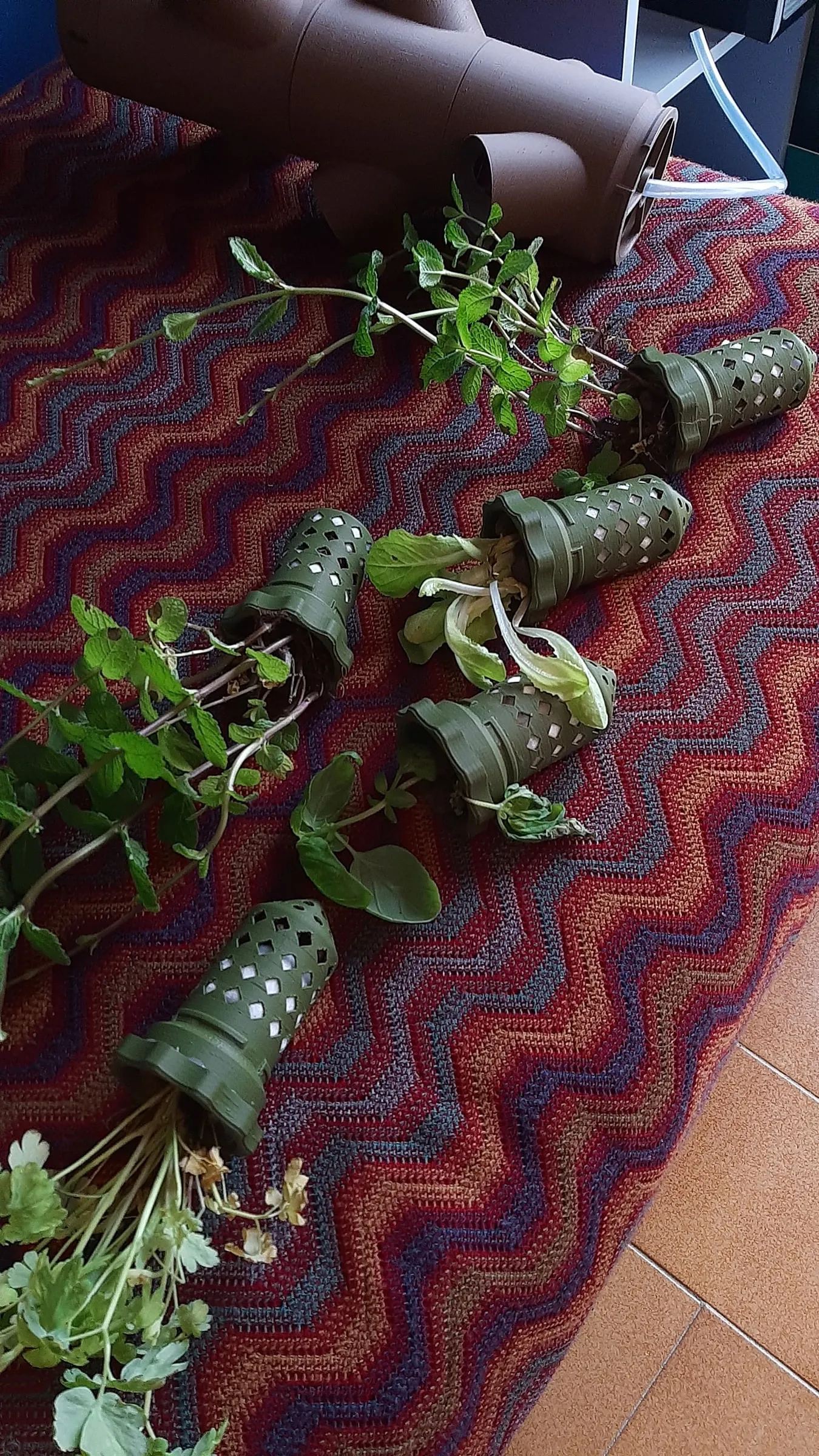 The plants with their pots, March 2024: there was mint and a few other herbs.
The timer
The heart is an ESP32A small electronic board with WiFi and Bluetooth, a few euros, that you program to make objects do things. acting as a timer. It switches the water pump on for five minutes, then waits: from ten to sixty minutes, depending on how I have turned a knob, a potentiometerA knob that changes an electrical value: turning it, the circuit senses a different value, like a radio’s volume.. Two lights tell me how the system is doing: the green LED on means the pump is running, the red one blinking means the tank has no water.
Inside there is a sensor that checks the level, and the code looks at it every second while the pump runs: if the water runs out, it stops it. A pump that runs dry gets ruined.
The circuit is simple. The ESP32 drives a relayA switch operated by a small electrical signal: with a little current it turns on a much bigger one, with a “click”. through a transistor, and the relay switches on a converter that takes the 5 volts of the power supply up to 12, which is what the pump needs. I put the converter after the relay, so it only works when the pump has to run.
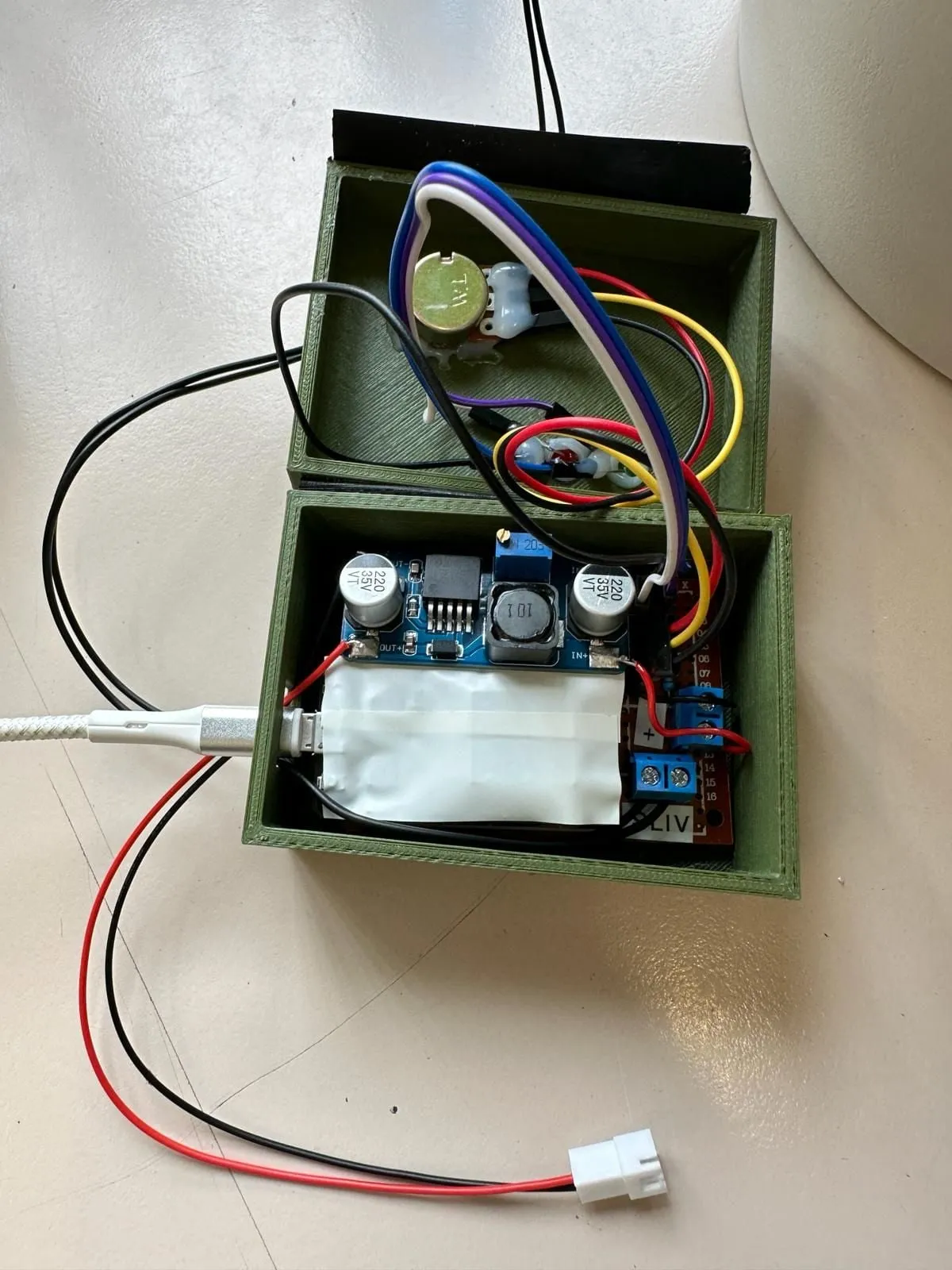 The little box with the electronics.
But this is exactly where I got it wrong, and I wrote it at the top of the repository so you don’t make the same mistake: as it was, the circuit wasn’t stable. When the relay clicked, the voltage dropped for an instant and the ESP32 restarted. The fix is to put the converter before the relay, or to add a capacitor that covers that dip. Another thing I learned the hard way: the potentiometer has to go on a pin of a certain group (ADC1), because the other group doesn’t work while the board is using WiFi, and I also wanted to connect it to Arduino Cloud, so I could follow it from afar.
The whole project is public, with the models to print, the diagram and two versions of the code, a simple one and one for Arduino Cloud: hydroponic-tower on GitHub.
The balcony controller
From the tower’s timer came, later, a controller that waters the plants on my balcony by itself. I rewrote it in three versions. It starts from the same scheme (an ESP32, a pump, a sensor that says whether there is water), but it can do much more:
- it has a web page where I can see how long until the next watering, switchA box with lots of network sockets: it links wired devices together, like a power strip for network cables. the pump on and off by hand and, with two sliders, change how long each watering lasts (from one to ten minutes) and how often it repeats. By default it starts every 36 hours for 3 minutes;
- there is a winter mode, which suspends the automatic waterings, and a “flush” button that keeps the pump on until I switch it off, to empty or wash the system;
- it sends Telegram messages: it warns me when the water level is low and when it is back to normal, and if I write “/statoirrigazione” it answers with the pump, the water and the time left until the next watering;
- it can be updated over WiFi, without taking it off the wall and plugging it into a computer.
The latest version runs on an ESP32 board with four ready-made electronic switches (MOSFETsAn electronic switch with no moving parts, which turns loads such as a pump or a lamp on and off.), one of which turns on the pump.
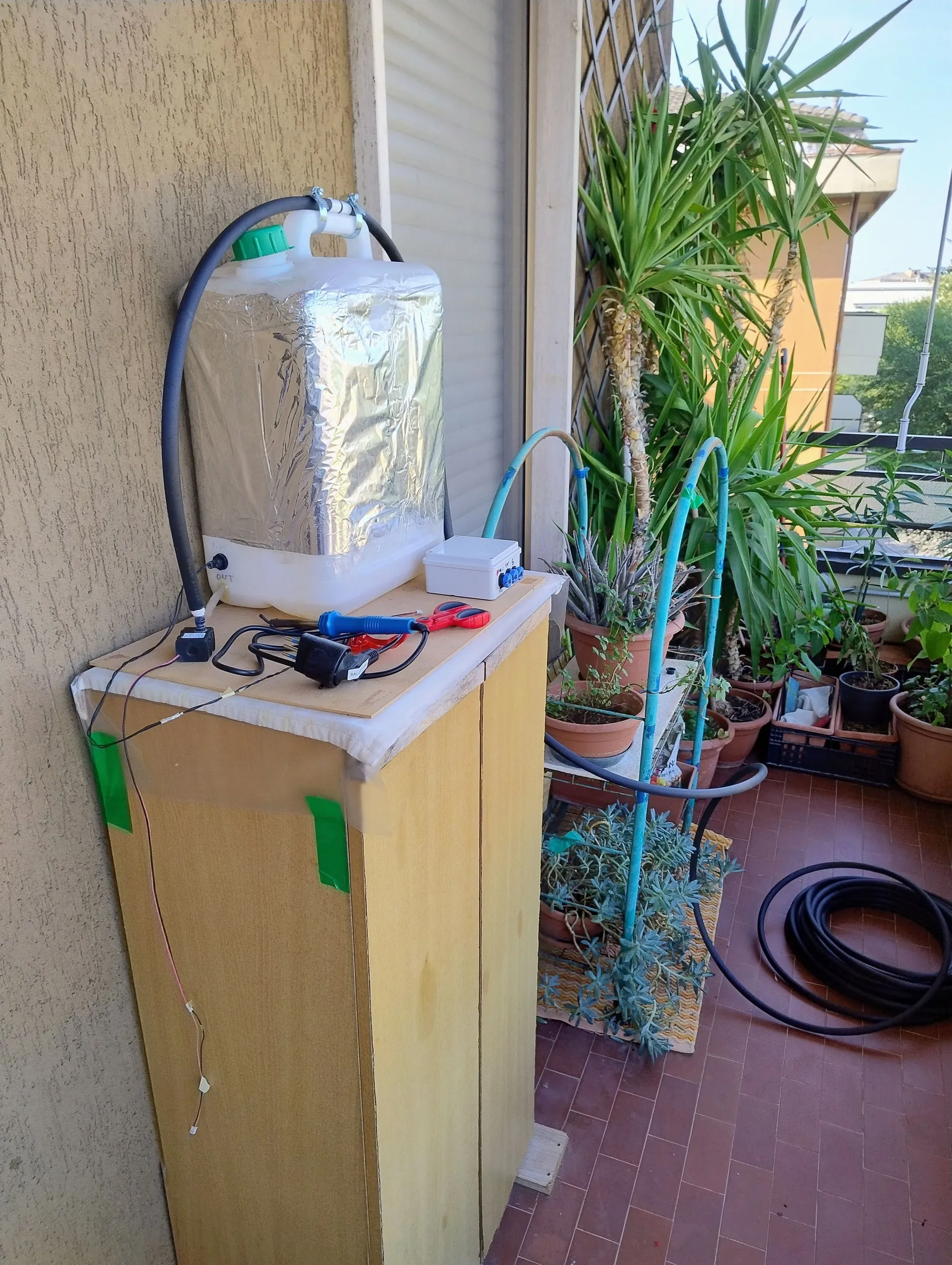 Most of the system on the balcony, July 2026: the tank, the pump, the controller and the hoses to the pots. The box with the power supply is out of frame.
What taught me the most was making it run without ever freezing. The first versions would lock up now and then, and I wrote at the top of the code the rules I had learned: the web page has to answer in a flash and never do anything slow; Telegram messages, which cost a lot of memory, are sent by a separate task and only if there is enough memory; and the level sensor has to be “smoothed”: without a moment’s wait, every ripple of the water sent a message and the queue clogged. I also added a limit that no setting can bypass: the pump never stays on for more than fifteen minutes, so a fault can’t leave the water running forever. If the WiFi drops, the controller restarts only the radio and not the whole board, so the countdown to the next watering doesn’t reset.
What I learned
That a simple timer is enough to grow plants, but that real reliability lives in the boring details: a power supply that sags for an instant, a sensor that jitters, a connection that drops. And that writing at the top of the code the rules learned from mistakes is worth more than any comment between the lines.