June 2026
The gate I open from my phone
A 330 MHz remote (not the usual 433), a small circuit that presses its button instead of my finger and an ESP32: I tap a button on my phone and the gate opens, without copying any radio code.
The gate at home opens with a radio remote. Gate remotes usually work at 433 MHzMegahertz: millions of oscillations per second. It is how we say which frequency a radio works on; gate remotes usually use 433 MHz.; this one does not: it works at 330 MHz. I wanted to be able to open it from my phone too, without the remote in my pocket and without standing in front of the gate.
The obvious route seemed to be listening to the remote’s radio signal and repeating it. But there was a simpler and safer one: keep the remote that’s already there and press its button in my place.
A frequency that was not the usual one
The first problem was finding out which frequency the remote talks on, because nothing turned up on the usual one. I did some reverse engineering, meaning I worked out how it works from what I could see: on the original remote I read the value printed on the crystal, the small metal part that sets the radio’s “beat”, and from that value I worked back to the real frequency: 330 MHz, not 433.
With a computer radio receiver (an SDR) I also watched the old remote’s signal, and found something curious: its frequency changed a lot depending on how I held it. The new remote, the one I use now, is much more stable.
Inside the remote
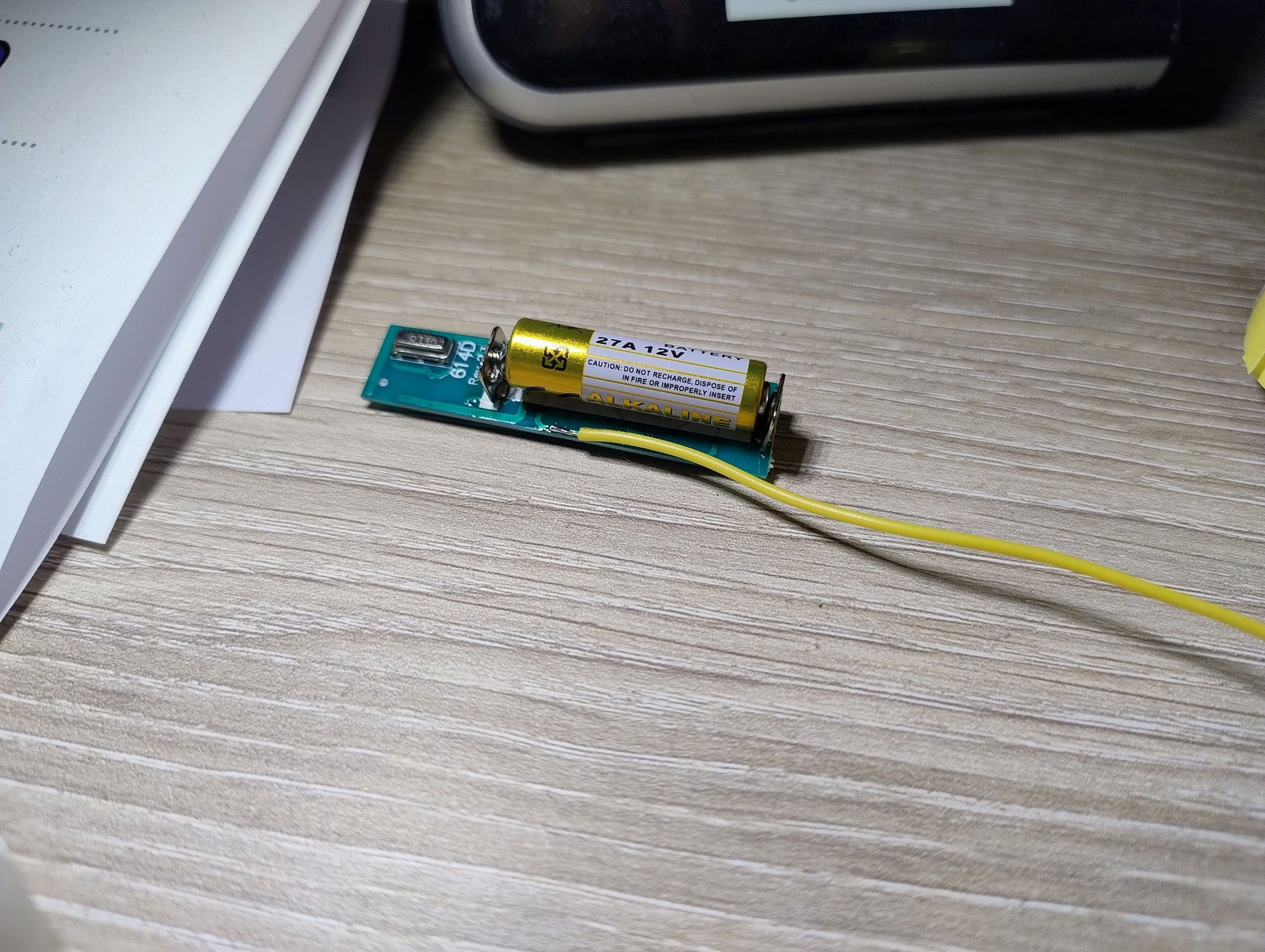
I opened the remote. Inside there is a board with four buttons and, instead of a coin cell, a cylindrical 12-volt battery, the small kind used in gate remotes.
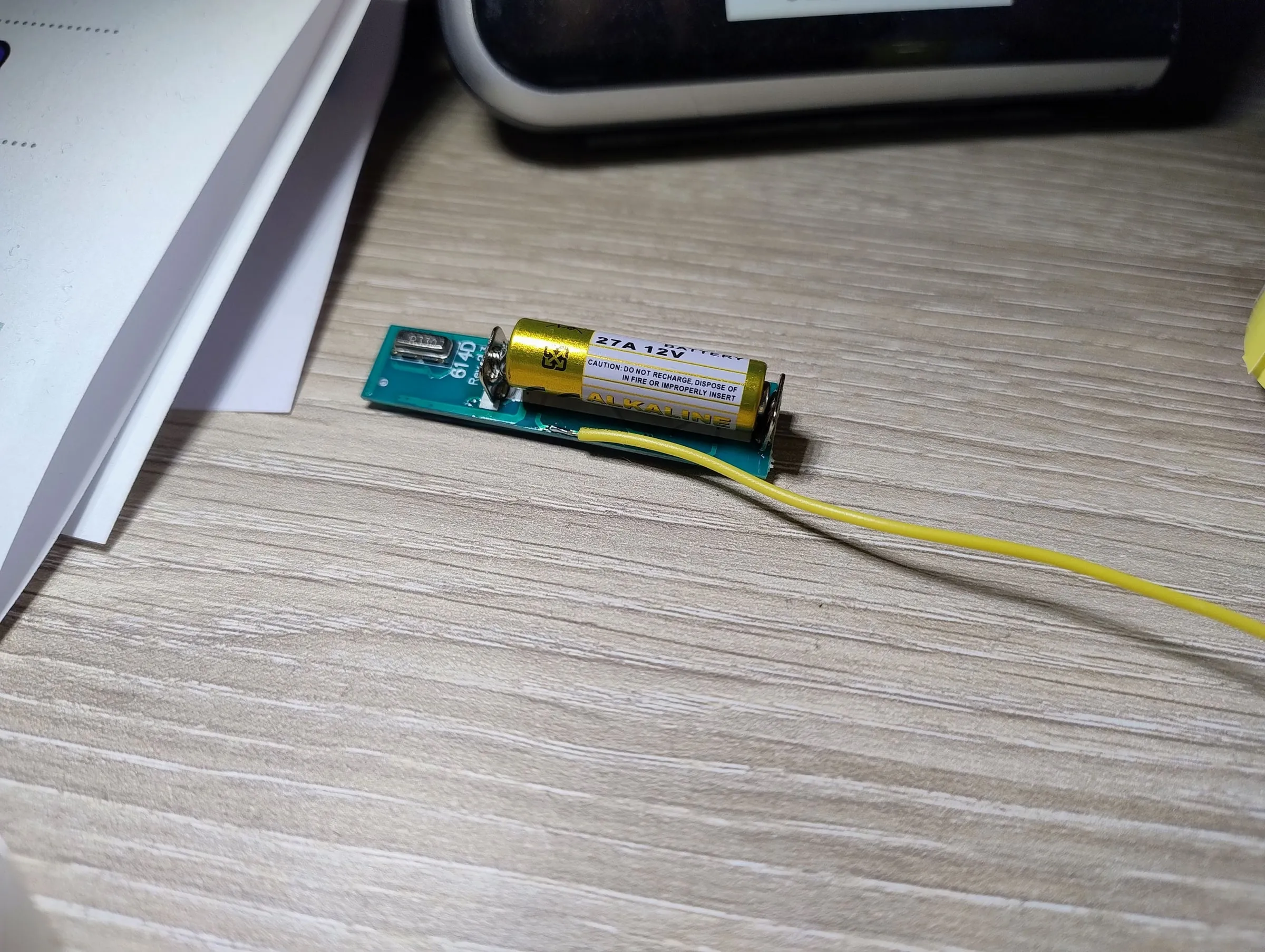 The remote opened up, with its 12-volt battery.
Each button is a tiny contact: when you press it, two points on the board touch and the remote sends its signal. If I can touch those two points with a circuit, the remote can’t tell whether a finger or something else did the pressing.
A finger made of electronics
To “press” the button without touching anything I used an optoisolator, a part that lights up like a tiny LED and, with that light, closes another circuit without the two ever touching. That keeps the remote completely separate from the rest: if something goes wrong on one side, nothing happens on the other.
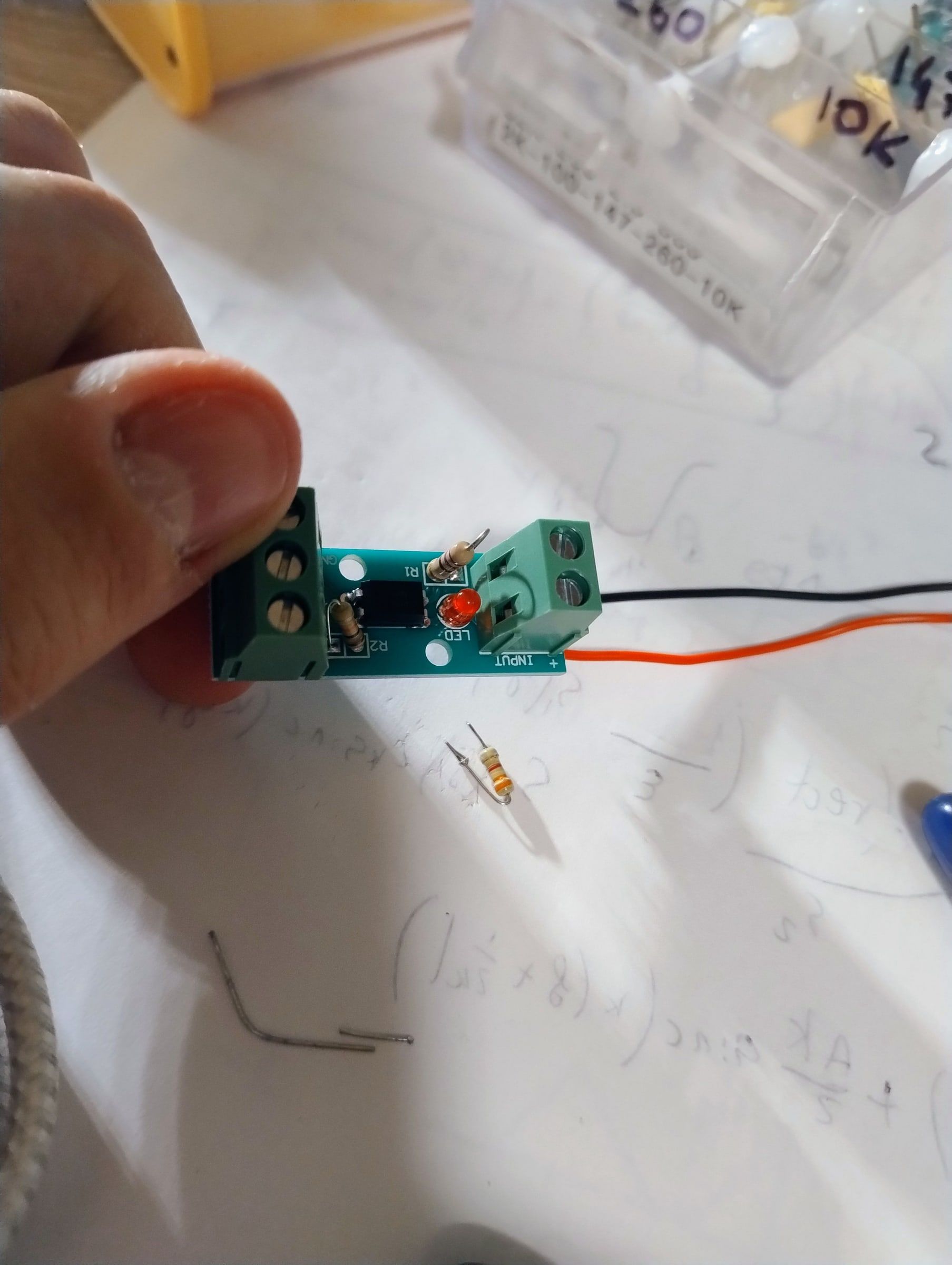
I took a ready-made module, with its screw terminals, and soldered two wires to the contacts of one of the remote’s buttons. The red LED on the module is the proof that it is working.
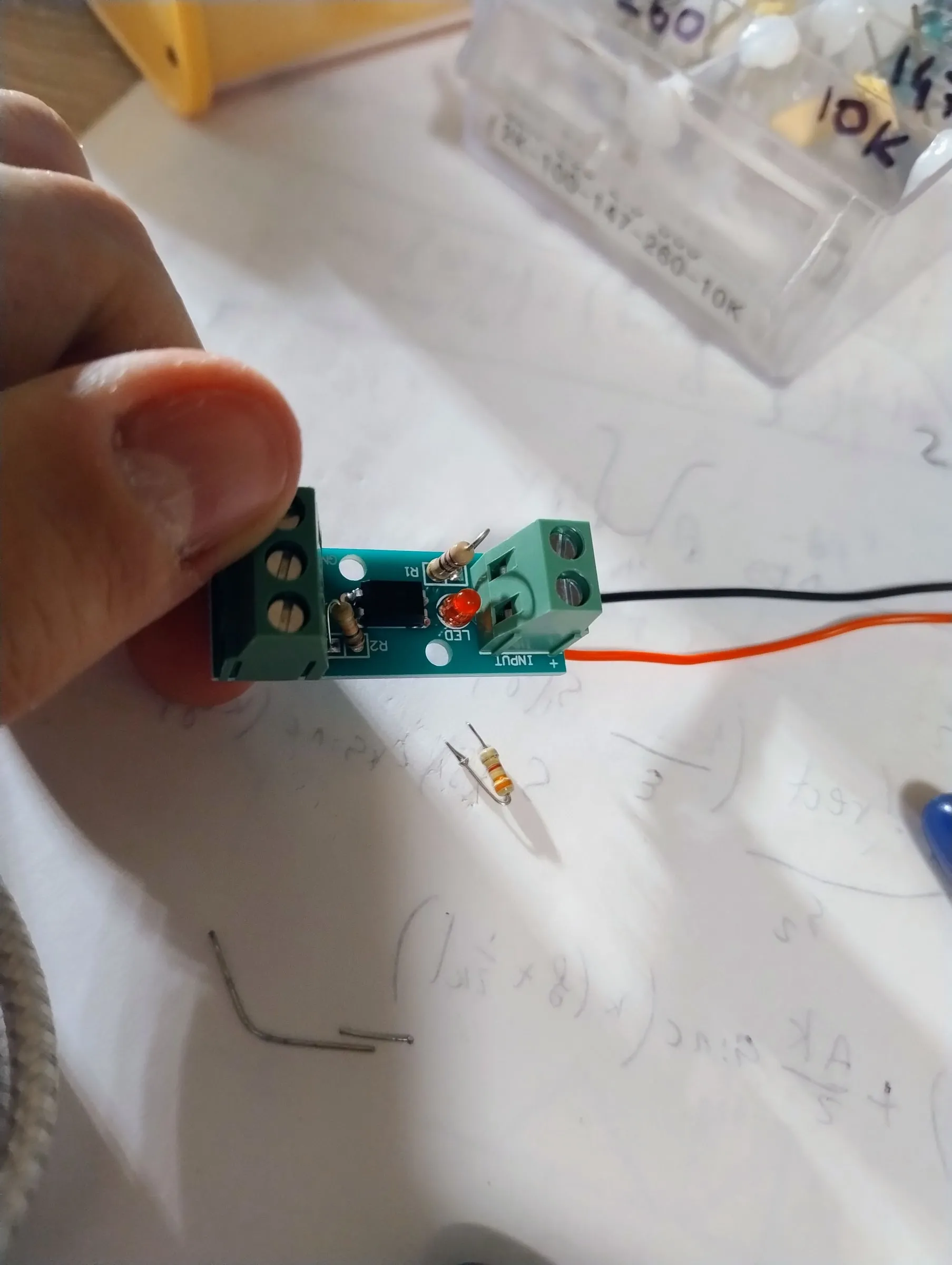 The module that will act as my finger.
The brain: an ESP32 with ESPHome
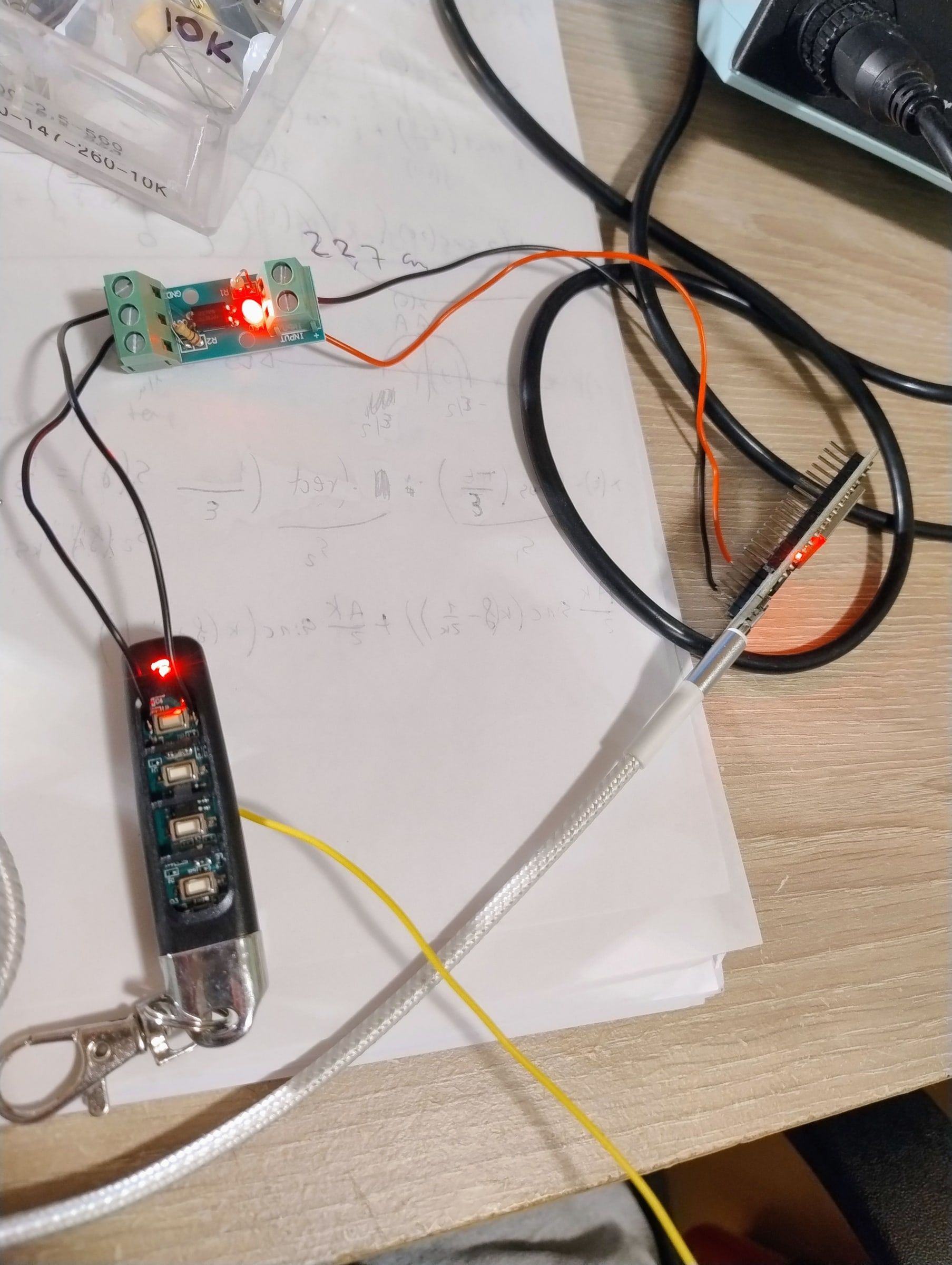
The module is driven by an ESP32, a small board with WiFi. I put ESPHome on it, a program that makes the ESP32A small electronic board with WiFi and Bluetooth, a few euros, that you program to make objects do things. show up in Home AssistantA free program that brings all the smart things in a home (lights, plugs, sensors, remotes) into a single app, even without going through their online services., the one I use for home automation, as a button. When I tap that button on my phone, the ESP32 lights the optoisolatorA part with an LED and a light sensor inside: the LED lights up and the sensor closes another circuit, without the two touching.’s LED for a moment, the remote feels “button pressed” and sends the gate its usual signal. The gate receives exactly what it receives every time: the signal of its own remote.
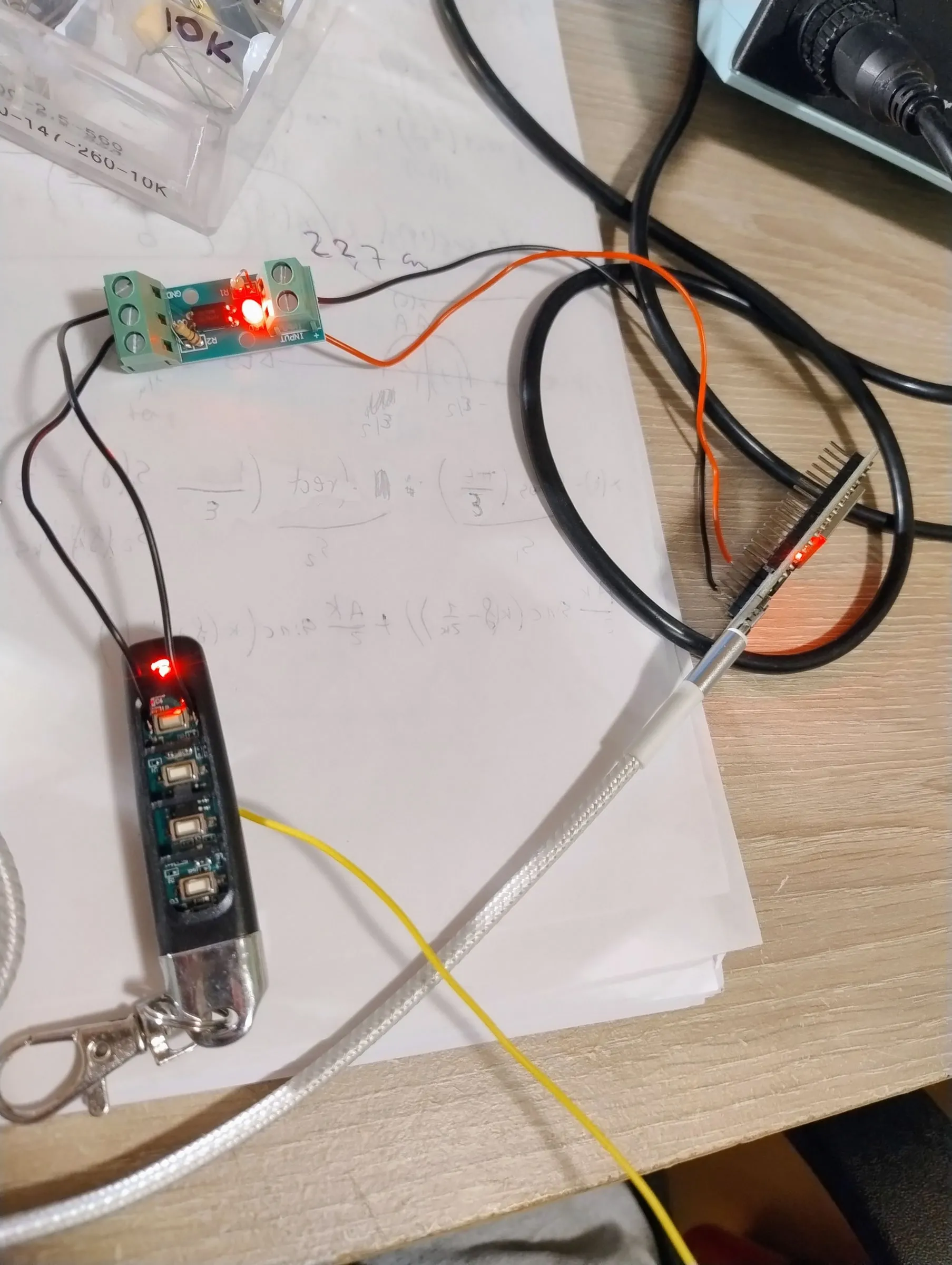 The first test on the table: the module’s LED and the ESP32’s are lit.
Power and the antenna
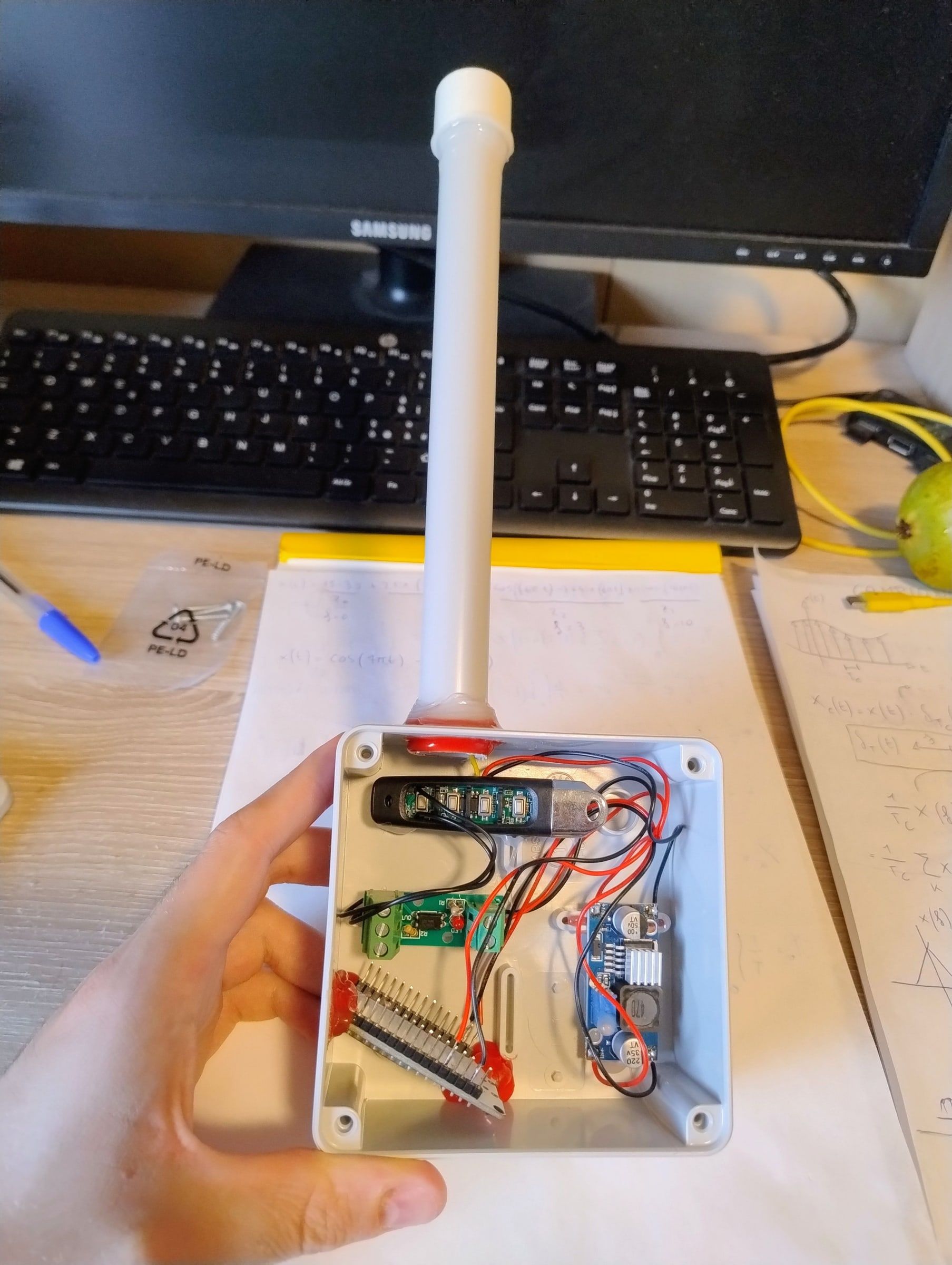
Without its battery, the remote still needed its 12 volts. The box takes power from a 5-volt USB charger, and a voltage converter (a DC-DC buck-boost: it keeps 12 volts even when the input voltage changes) raises the voltage to 12 volts and gives it to the remote in place of the battery.
Then there was a practical problem: a remote shut in a box is a remote that is “heard” less well. So I brought the antenna outside: a wire runs from the remote to an external antenna, inside a white tube that sticks out of the top of the box.
How it ended
It is now in use and works: I tap the button on my phone and the gate opens. I haven’t copied or decoded any radio code: the remote is still the same one, and it keeps doing its job.
What I learned
That to control something you don’t always have to understand how it speaks: sometimes it’s enough to do, with a circuit, the gesture a person would make. And that a remote taken apart is full of simple ideas, within reach of a soldering iron.